


Keep agent builder in check
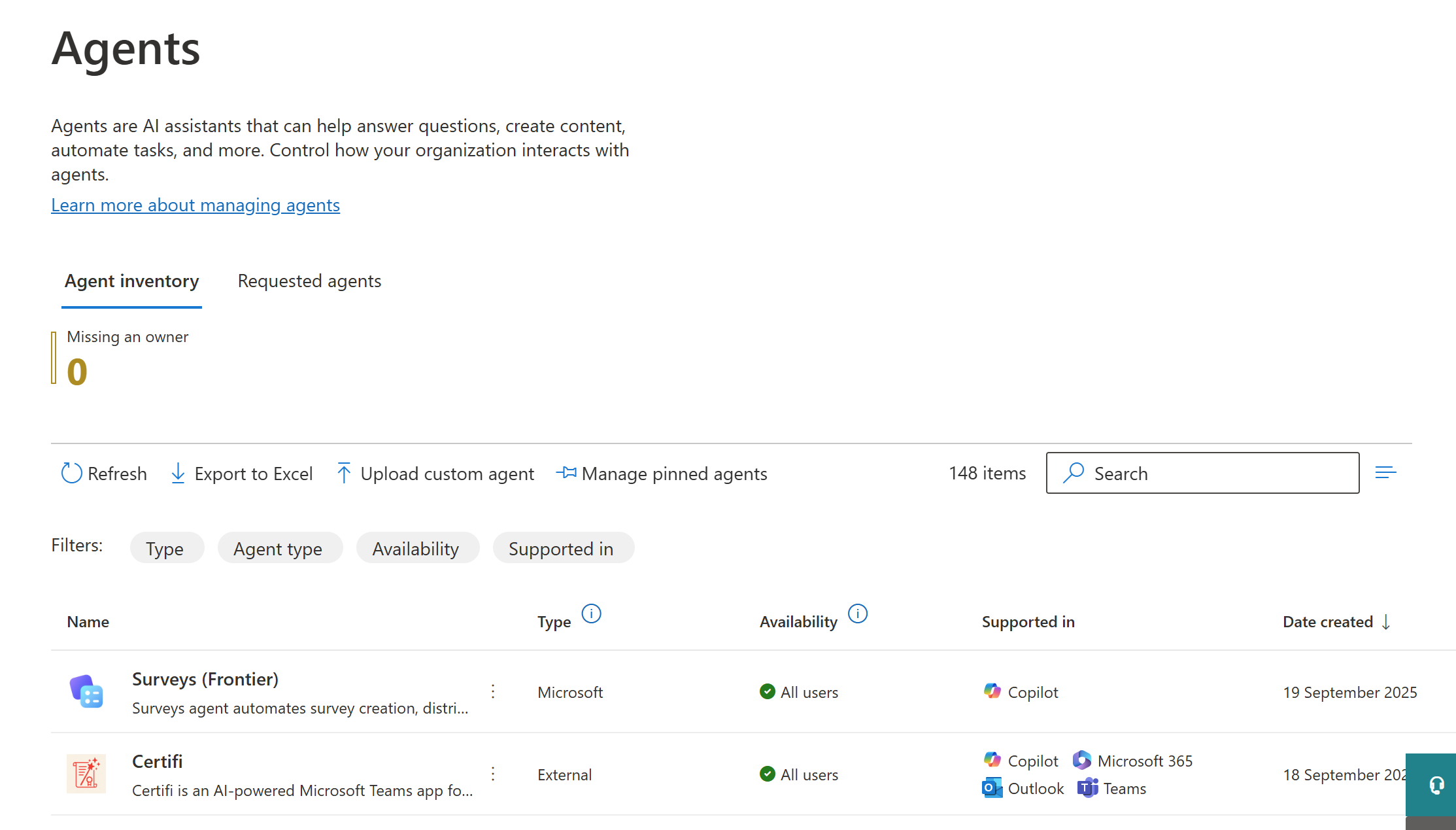
It is easier than ever for employees to build agents based on M365 Copilot. Many companies struggle to keep these agents under control. Here you will learn how to use Power Automate to block or delete these Agent Builder agents automatically.
The Problem
Employees can easily build agents that extend M365 Copilot by using the built-in Agent Builder. They simply click “Add an agent” in M365 Copilot, provide some instructions, and optionally add knowledge sources. These agents do not live in the Power Platform, but they can be administered via the M365 Admin Center.
Many companies want to limit or monitor the ability of employees to create such agents. Manually checking these agents in the M365 Admin Center and blocking or deleting them is not a scalable solution.
The Solution
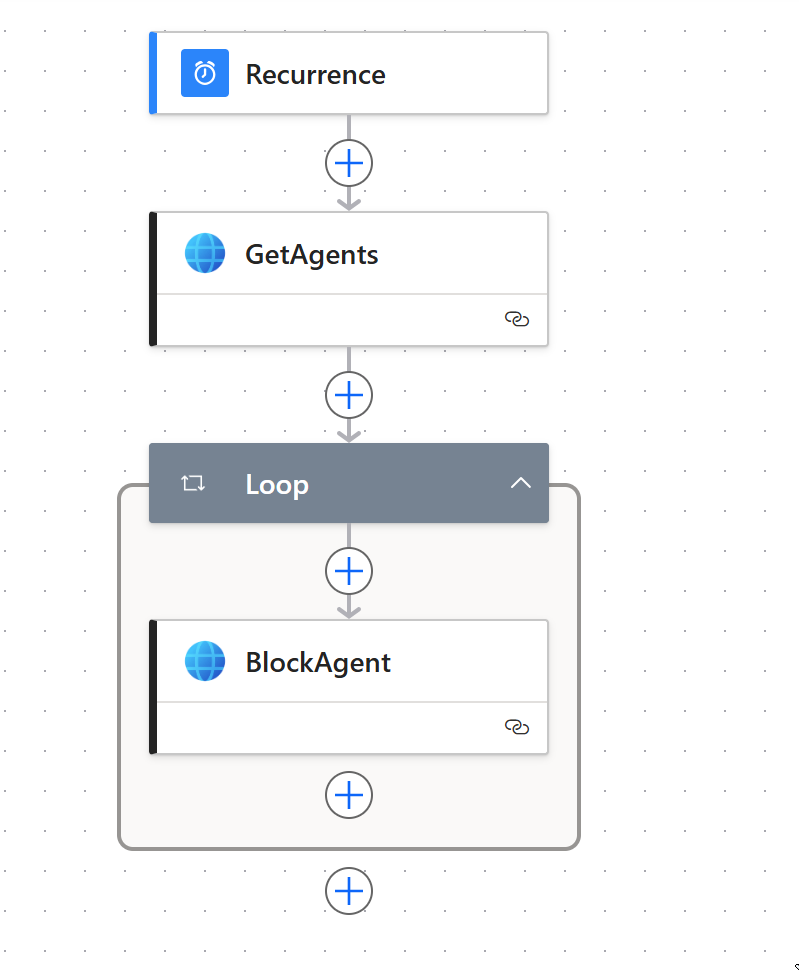
With Power Automate, you can create a scheduled automation that regularly checks for shared agents and blocks or deletes them as needed.
- Create a new Power Automate flow.
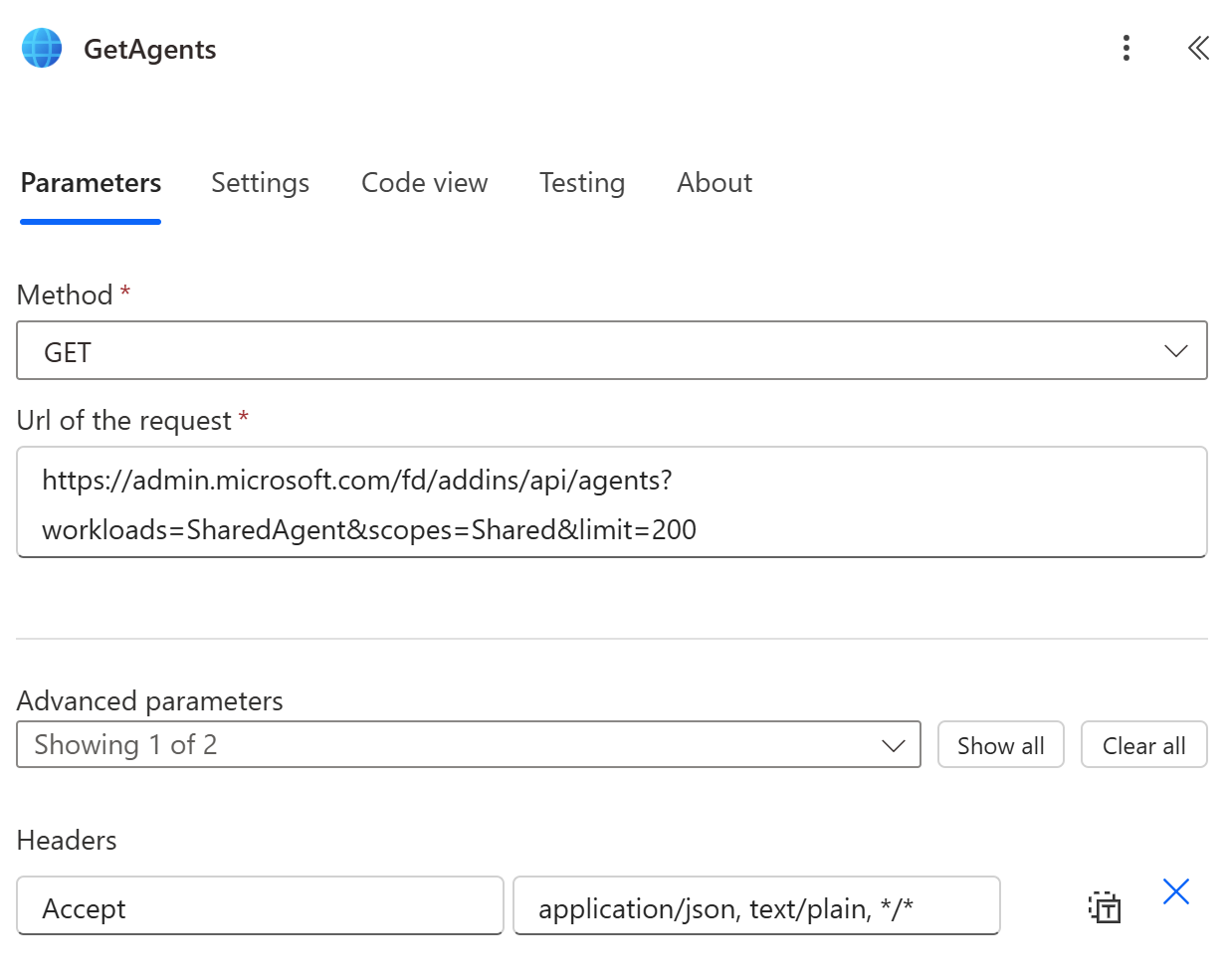
- Add a new action “HTTP with Entra ID (preauthorized)”. This action will retrieve all “shared agents” from the M365 Admin Center (the agents created with Agent Builder).
- The connection must be created by a user with the necessary permissions in the M365 Admin Center.
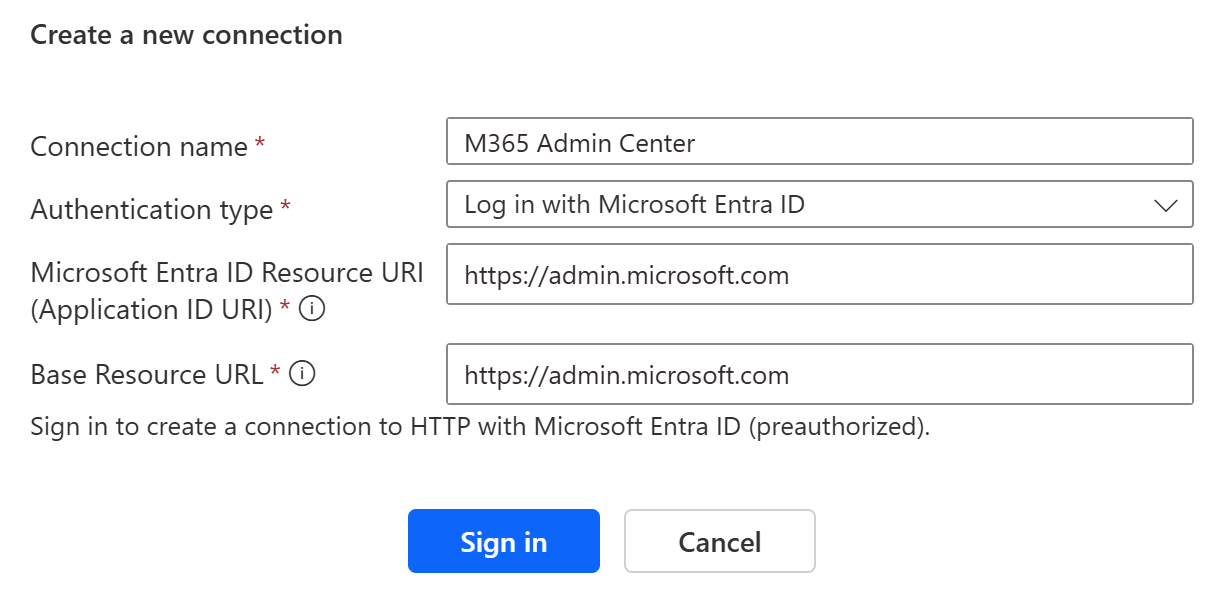
- Base Resource URL: https://admin.microsoft.com
- Resource URI: https://admin.microsoft.com
- Method: GET
- URL: https://admin.microsoft.com/fd/addins/api/agents?workloads=SharedAgent&scopes=Shared&limit=200
- Headers:
accept: application/json
- The connection must be created by a user with the necessary permissions in the M365 Admin Center.
- Loop through the results.
- Inside the loop, add another “HTTP with Entra ID (preauthorized)” action to block or delete the agents.
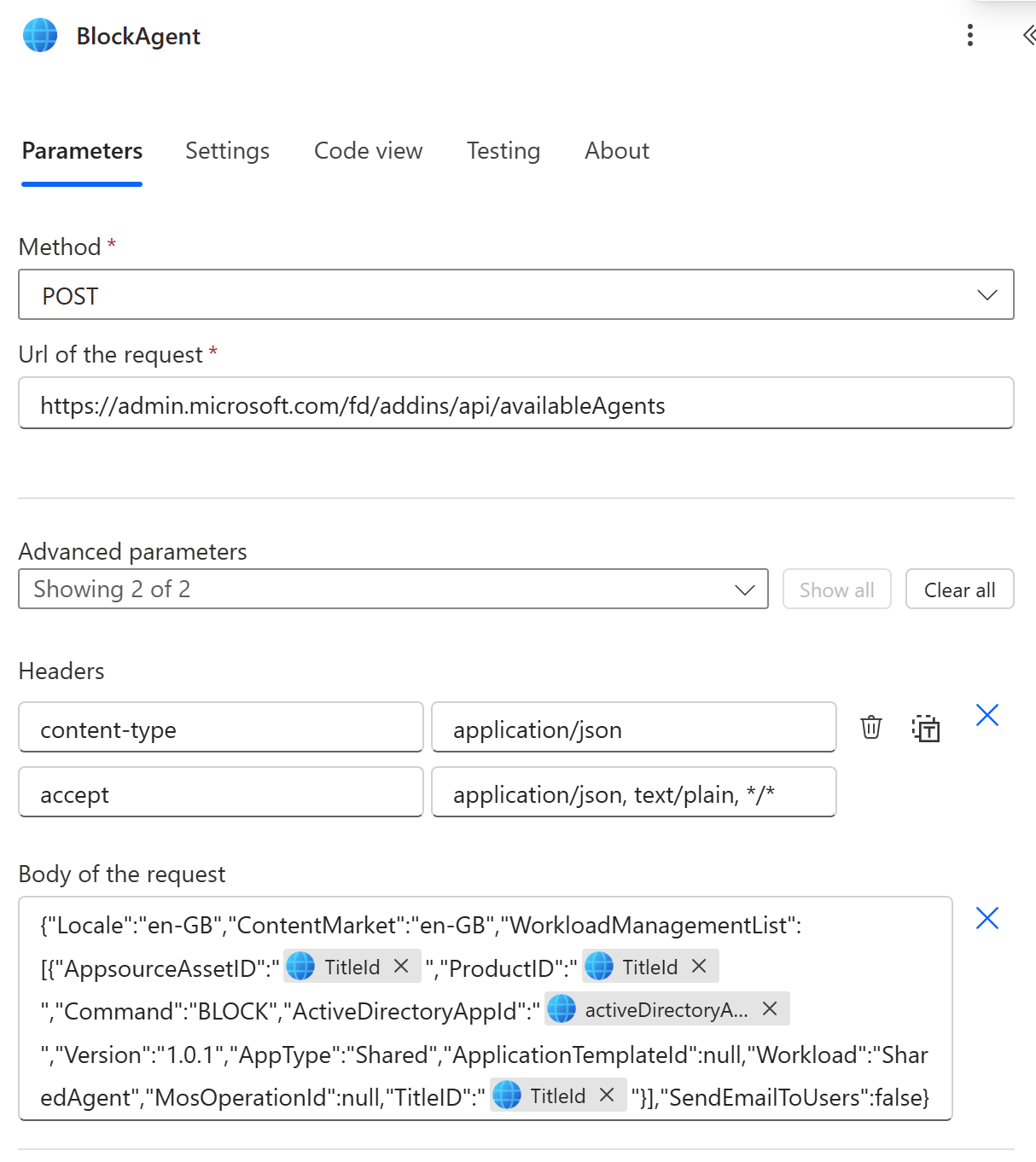
- Method: POST
- URL: https://admin.microsoft.com/fd/addins/api/availableAgents
- Headers:
- Content-type: application/json
- Accept: application/json
- Body:
{
  "Locale": "en-GB",
  "ContentMarket": "en-GB",
  "WorkloadManagementList": [
    {
      "AppsourceAssetID": "[TitleID]",
      "ProductID": "[TitleID]",
      "Command": "[CMD]",
      "ActiveDirectoryAppId": "[activeDirectoryAppId]",
      "Version": "1.0.1",
      "AppType": "Shared",
      "ApplicationTemplateId": null,
      "Workload": "SharedAgent",
      "MosOperationId": null,
      "TitleID": "[TitleID]"
    }
  ],
  "SendEmailToUsers": false
}
This example is for an M365 Admin Center with GB locale, but it can easily be adapted to other locales. Replace [TitleID], [CMD], and [activeDirectoryAppId] with the dynamic values from the first HTTP action. Note that [TitleID] is the agent ID with a “T_” prefix.
Valid commands:
- BLOCK
- UNBLOCK
- DEPLOY
- DELETE
Comments
LESBIAN PORN VIDEOS
2026-06-23
浏览露骨视频 在安全可靠的平台上进行。寻找 有保障的视频来源 以获得一流体验。
Write a comment
Your email address will not be published. Required fields are marked with an *.